

Shotlists have been redesigned: you add references to them directly from the catalog, track their progress from the list of shotlists and share them with your partner accounts.
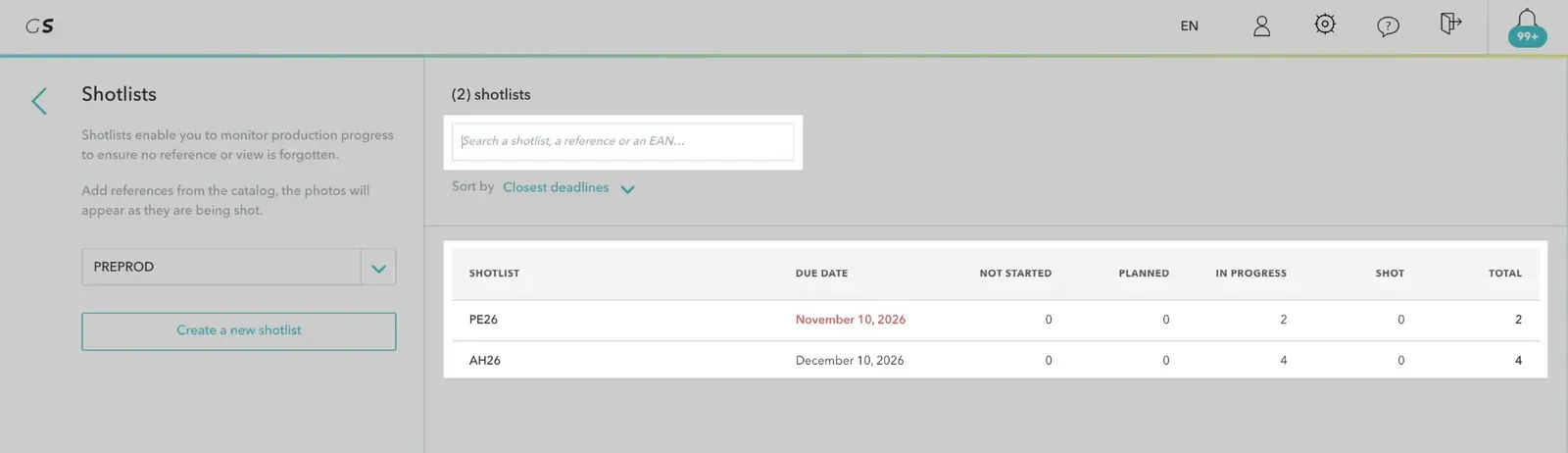
Find all the details in the article Shotlists.
The new validation is available to all users: on the validation page, the keyboard shortcut Shift + V lets you switch from the old validation to the new one. Your choice is kept for your next visits.
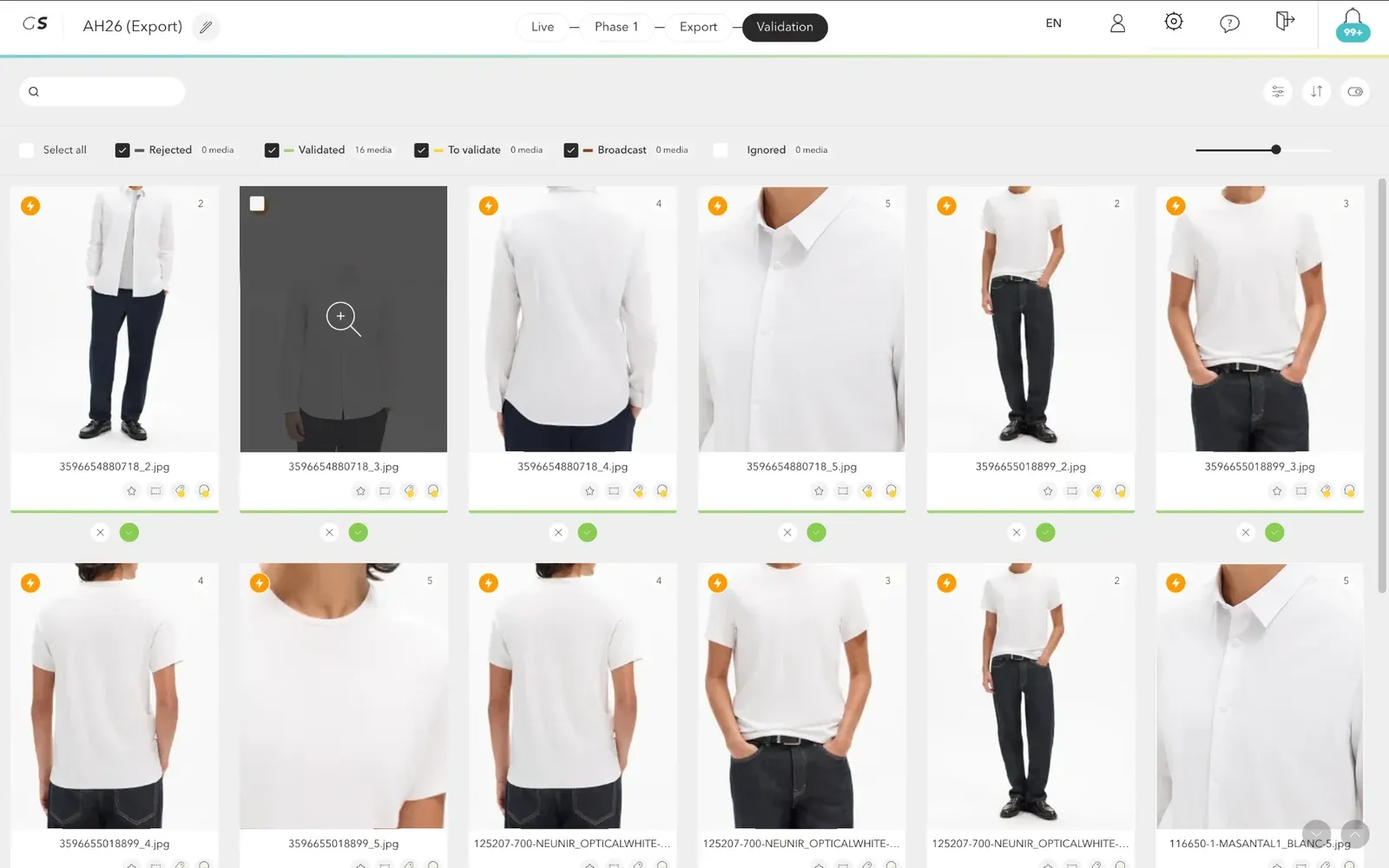
Find all the details in the article The new validation.
Access rights can now be limited to certain shooting methods (packshot, worn, ambiance…), in addition to the catalog scope.
The Data rights section of the Personal space has been redesigned: a table shows, per account, the user's accesses, catalog scope and shooting methods. The Modify button lets you adjust them directly in the row.
Find all the details in the article Create access rights.
The refusal reason is no longer mixed with free comments. Two new columns are available in the Comments and Media reports, on screen as well as in the Excel export:
The Comment column now only contains the text of the comment. Cross Refusal reason and Version to track your quality indicators: rejection rate, rework, etc.
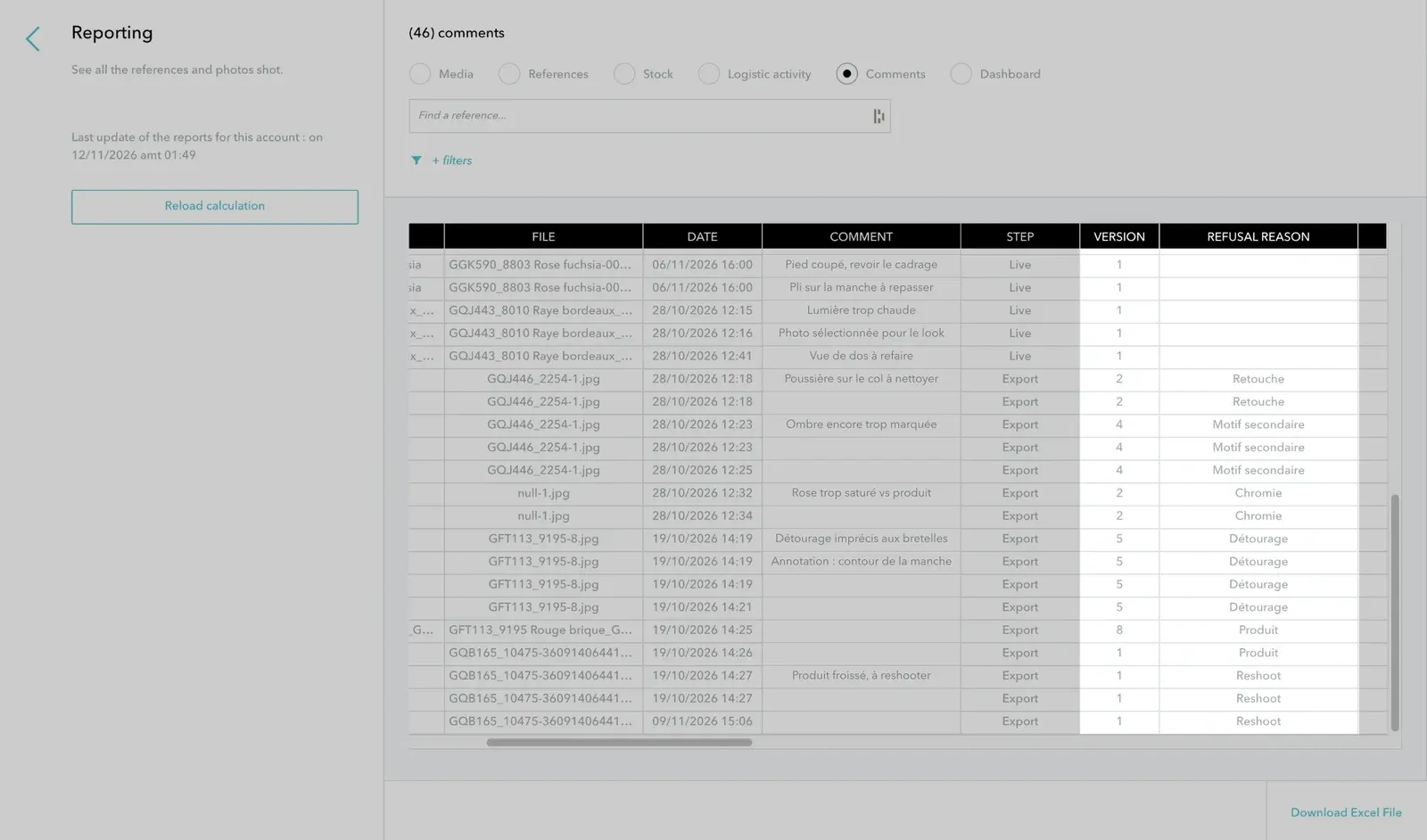
Find all the details in the article Reporting.
Search by partial EAN With the Extend the search box, part of an EAN is enough to find a reference, in the catalog as well as in shotlists. The search covers the main EAN and the secondary EANs.
Linking media when an EAN is saved When you add an EAN to a reference (from the scanner in particular), the media named with this EAN are automatically linked to the reference.
Consistently paginated, sorted and filtered lists The list endpoints for productions, looks and specifications now follow the same pagination, sorting and filtering rules. Pagination is available on request for endpoints that did not offer it.
Search on empty values The API search lets you filter objects with an empty field (null).
Media history GET /picture/{picture_id}/history?scope=production no longer returns exports from other export configurations of the same validation.
Specifications A view removed from the content sent to POST /specification/category (or from the XLS import) is now properly deleted.
Response codes The API now responds with the appropriate code: 401 without authentication, 403 when access is denied, 404 when a media has been deleted, instead of a 500 error.
Reliability and performance The nightly reporting calculation is more robust and faster. After a catalog import, only the modified references are reindexed. Many fixes also improve the stability of background processing: image synchronization, CDN, downloads and emails.