
A shotlist is a selection of catalog references to shoot, with a deadline.
A shotlist groups Catalog references to shoot for the same operation: a collection, a campaign, a batch of urgent products, etc. It has a name, a description, and start and end dates.
When you open a shotlist, you find its references and the tracking of the expected views according to the Specifications. The same reference can belong to several shotlists.
The list of shotlists of an account shows a table with, for each shotlist:
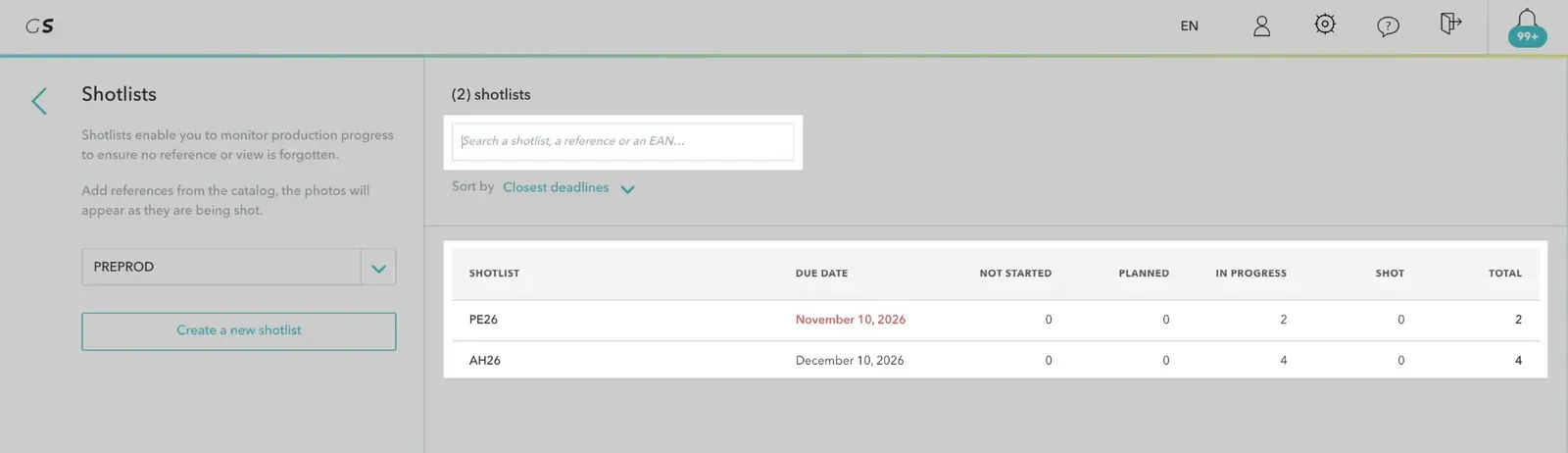
If you have access to several accounts, choose the account with the account selector: it is shared with the catalog.
The search bar finds a shotlist by its name, but also by a reference or an EAN it contains. Check Extend the search to search for part of a reference or EAN. You can also paste a list of references.
A message confirms the number of references added. The See the shotlist link opens the shotlist directly. References already present are not added a second time.
On the catalog cards, the Shotlist · name label shows the shotlists of each reference: click it to open the shotlist.
From a shotlist, click Import an Excel file in the left column.
References in the file that are not yet in the catalog are added to it, then linked to the shotlist.
The left column of a shotlist shows:
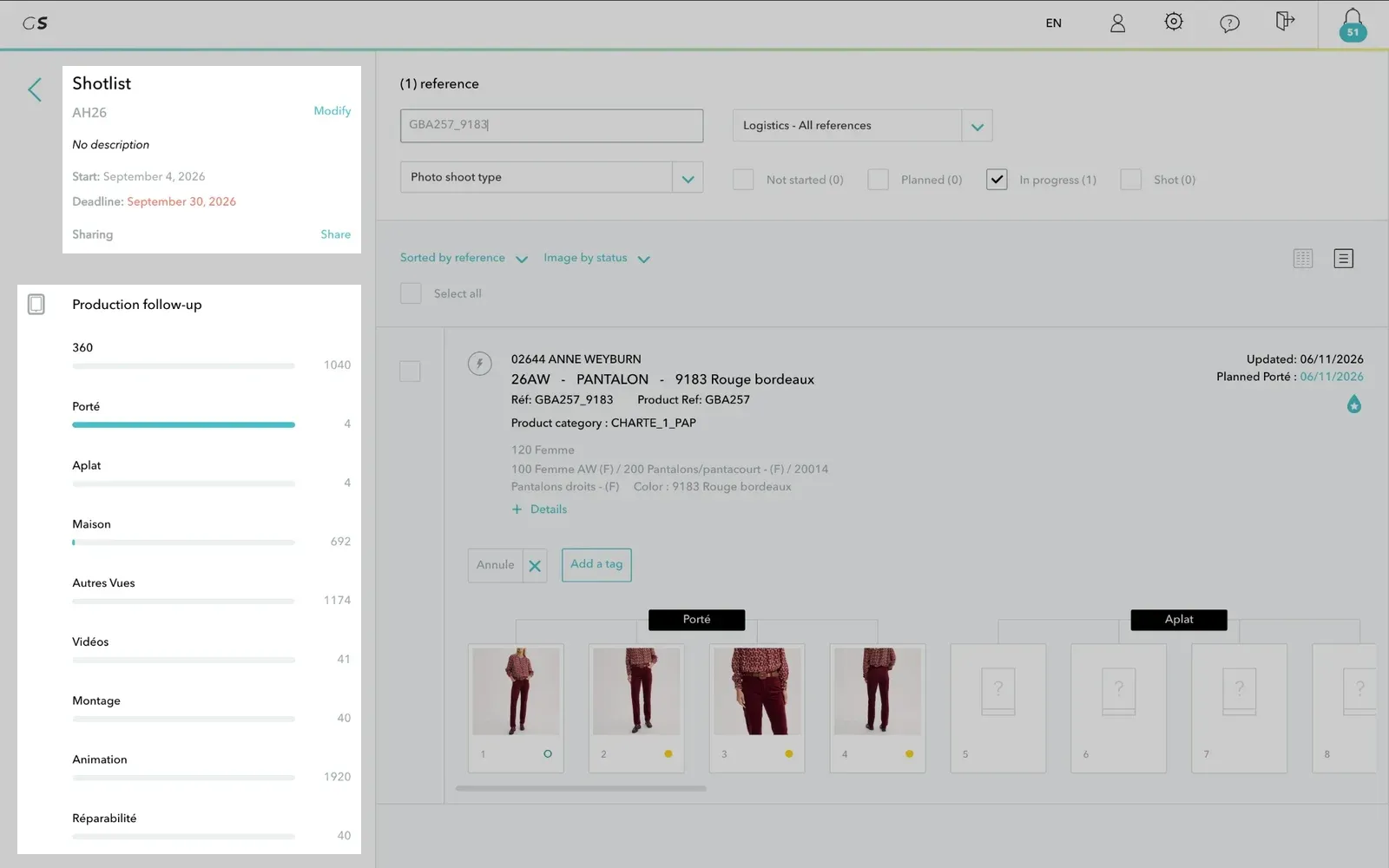
To remove references from the shotlist, select them then click Actions > Remove from shotlist. The references and their media remain in the catalog. Likewise, deleting a shotlist deletes neither the references nor their media.
To have the references of a shotlist shot, select them then click Add to > A production. Choose an active production or create a new one: the references are added to the production's references to shoot and switch to the Planned status.
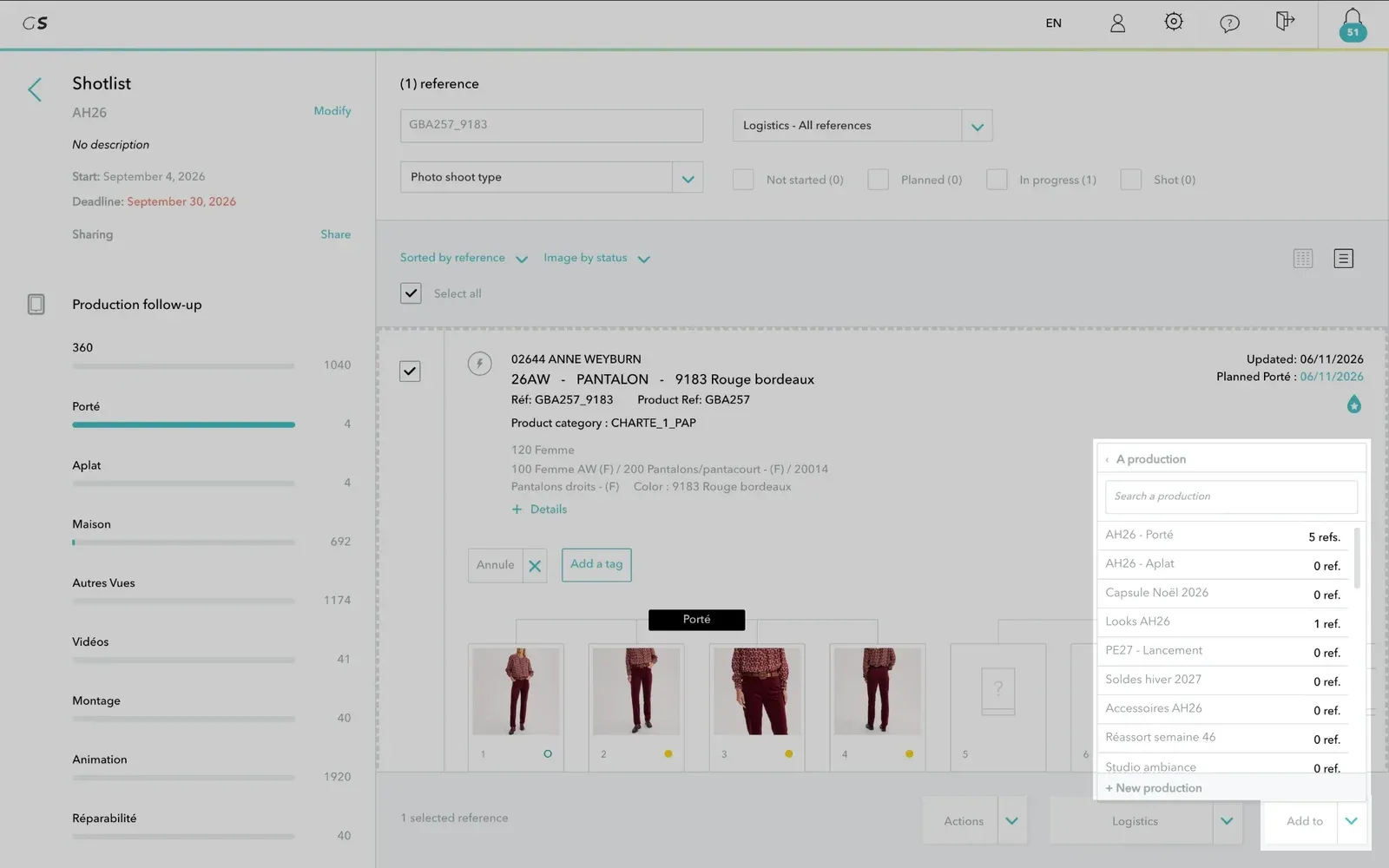
You then track their progress in the Live (see Tracking References to Shoot).
A brand that works with partner accounts (delegation) can share its shotlists with them: open the shotlist and click Share, then choose the partner accounts.
| Brand (catalog account) | Partner account | |
|---|---|---|
| View and modify | All the catalog's shotlists | The shotlists it created and those shared with it |
| Delete | All shotlists | Only the shotlists it created |
| Share | The shotlists it created | No |


