
Download your validated files from the validation area to integrate them into your information system, put them online, or share them. By default, only validated files are downloadable to prevent the circulation of non-finalized versions.
In the left sidebar of the approval, you have two quick download buttons:
These options are ideal for quickly retrieving your entire production.
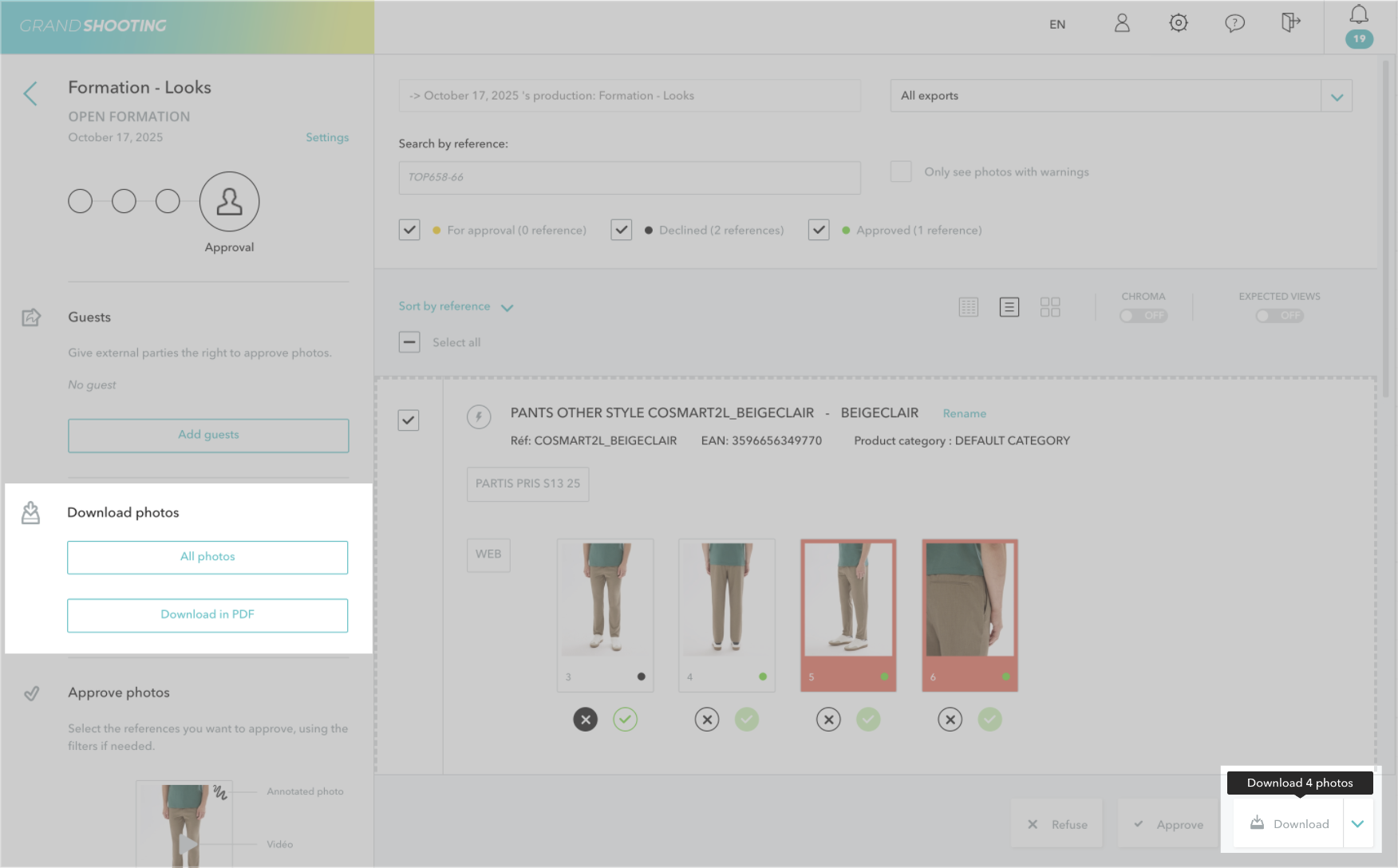
You can select one or several specific references, then use the action menu that appears to download only the selected files.
This method is convenient when you want to download a specific group of references without retrieving the entire production. You can use the various filters (exports, file statuses, etc...) and/or the search field.
To download an individual file, you have two options:
This option is ideal for quickly retrieving a specific file.
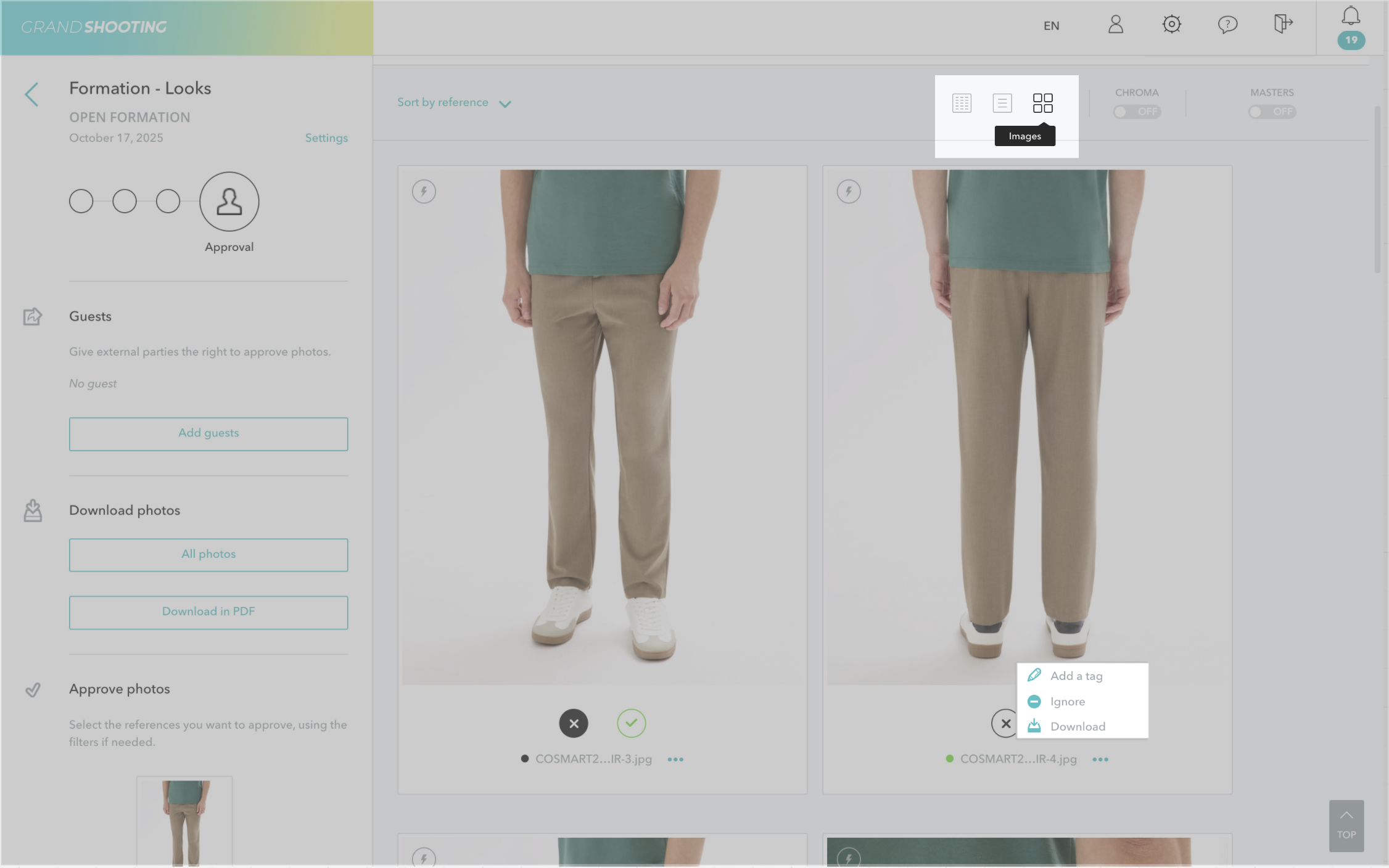
When you download files, you retrieve:
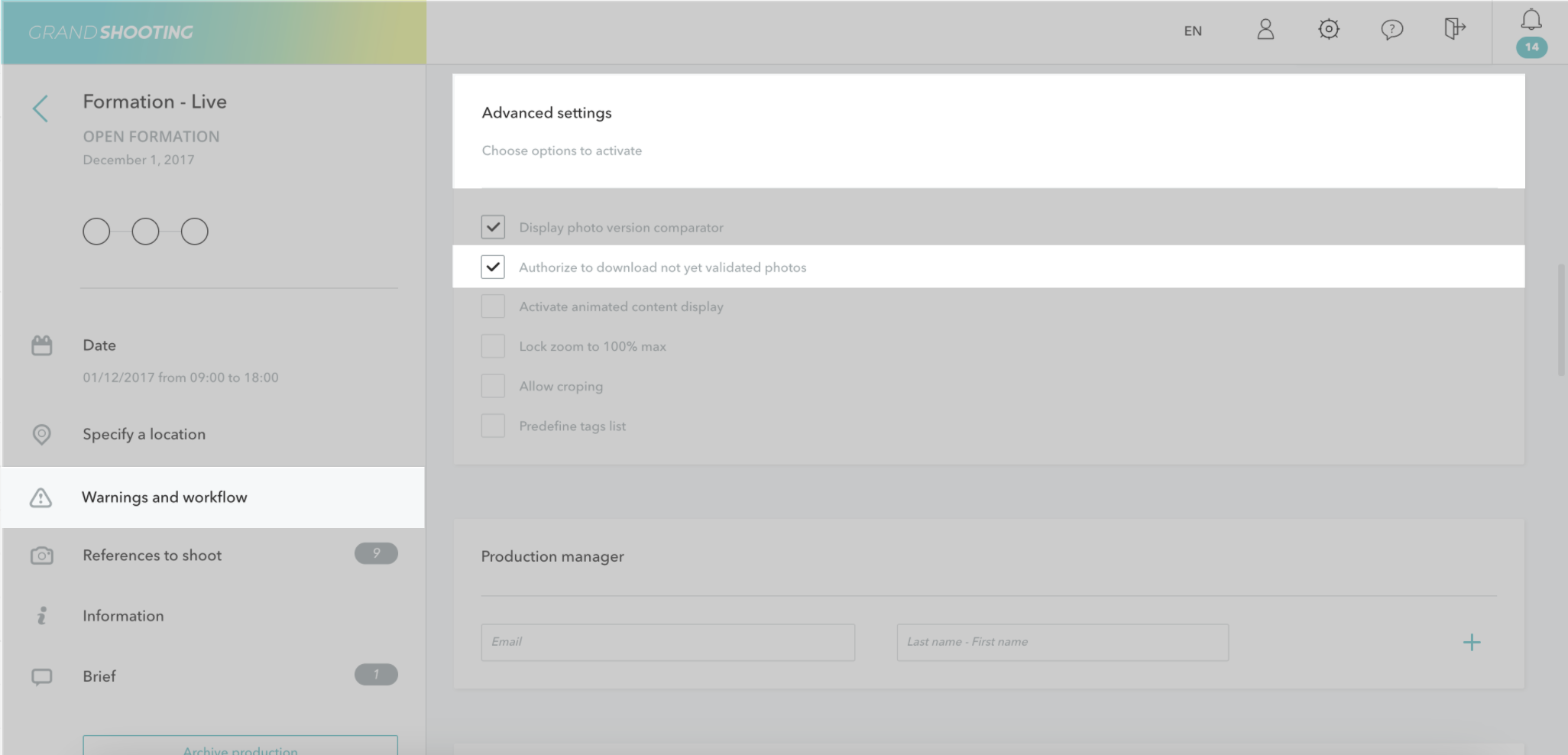
By default, only validated files can be downloaded. This restriction prevents the circulation of multiple non-finalized versions on your team's computers.
If necessary, the producers of the production can authorize the download of non-validated files from the advanced settings of the production.
All your validated files are automatically archived in the Media Library, across all productions. From this space, you can also download your files, create albums, and share them easily.


