
In certain specific cases, you may need to download the raw files directly from the Live. This feature, intentionally limited by Grand Shooting, allows for the retrieval of media in their original format as they were uploaded to the platform.
⚠️ Important: This function is not accessible by default and requires prior activation by the production's producer.
Access the settings of your production.
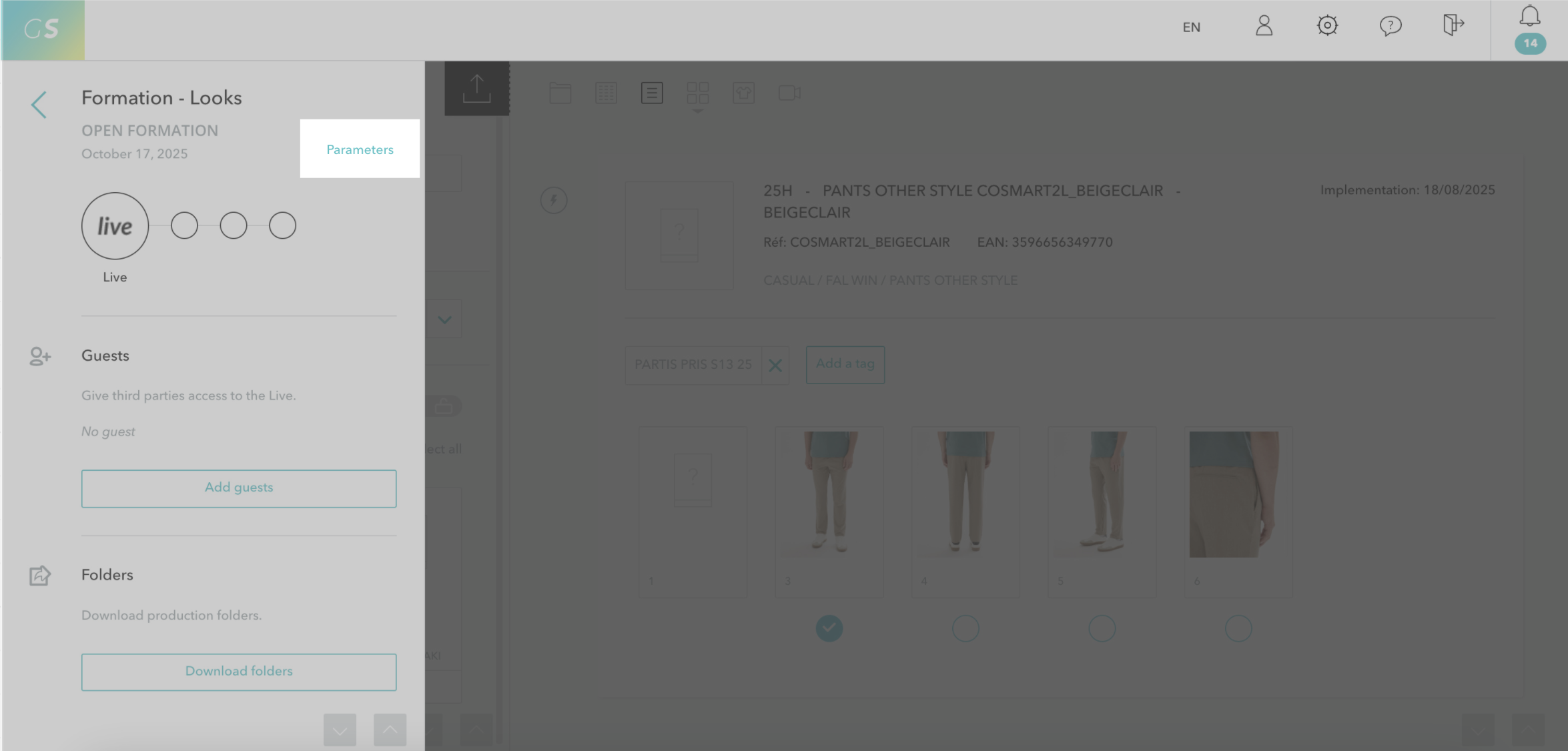
Go to the section Alerts and workflow > Then Advanced Settings > Check the option Allow downloading of unapproved photos.
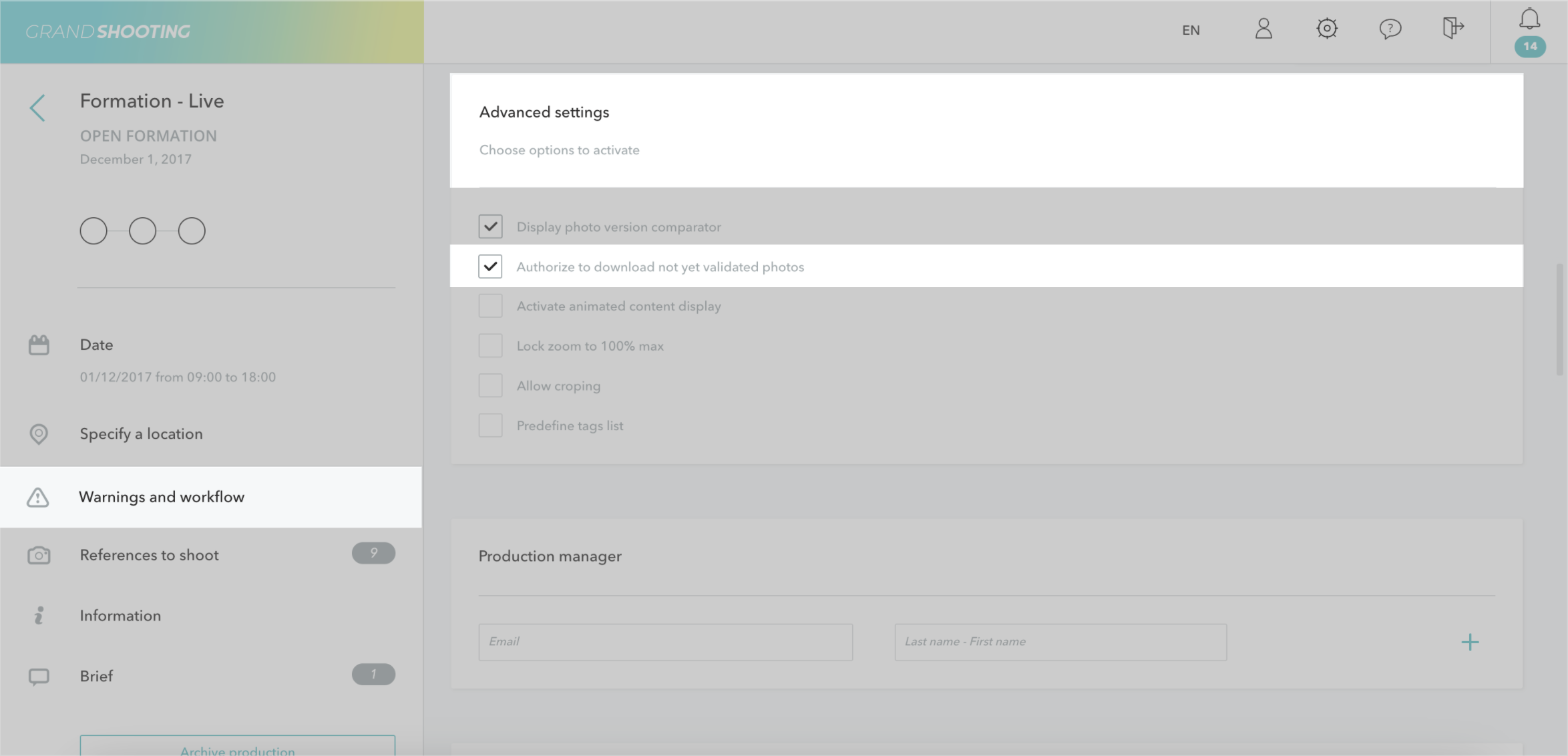
Once this option is activated, users will be able to download:
Go to the Live of your production.
Select the file(s) you wish to download and then click on the dropdown actions > Download.
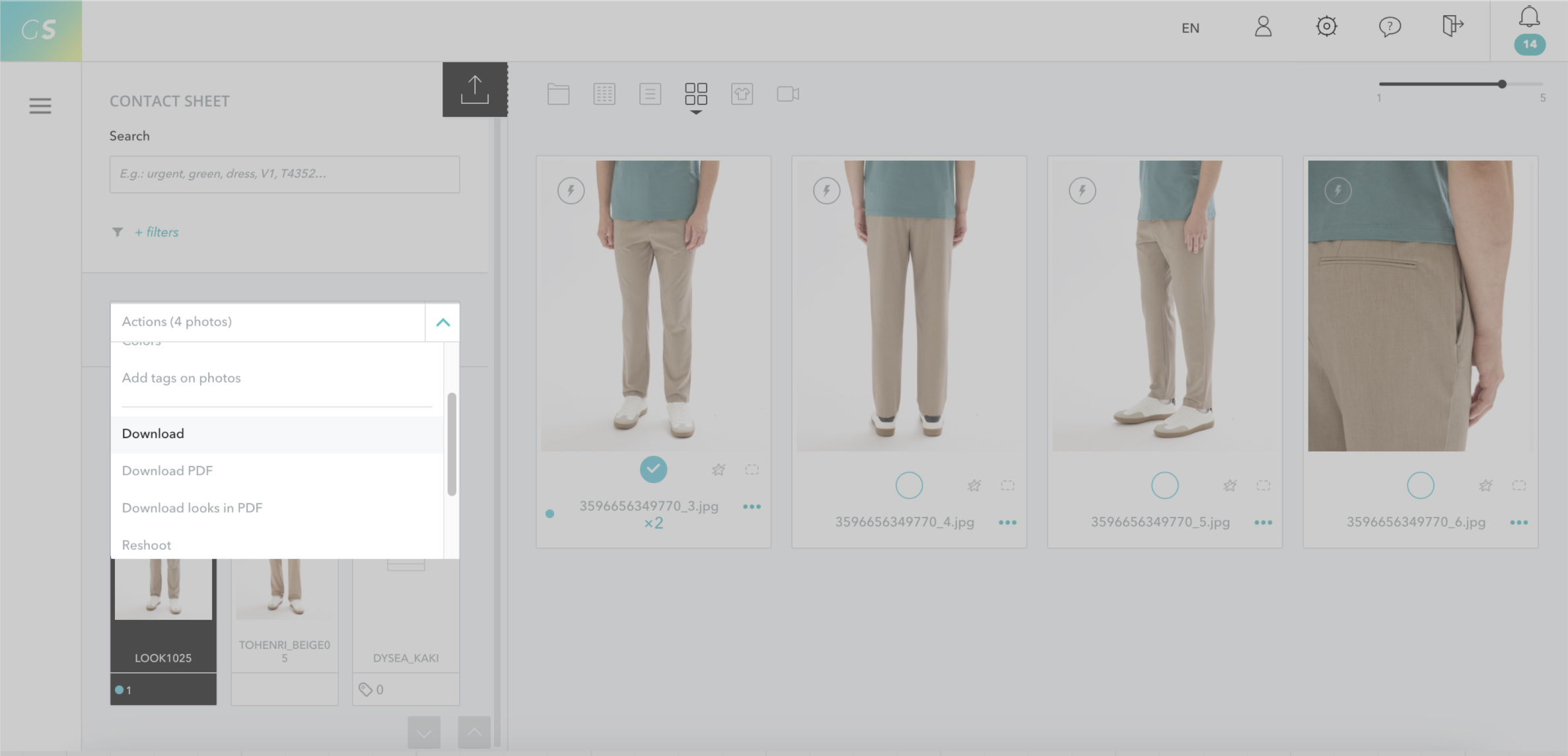
The files are downloaded in their original raw format. You can download the files individually or in batches according to your needs.
Grand Shooting intentionally limits this functionality to prevent unapproved versions from circulating on team computers. We recommend to:


